
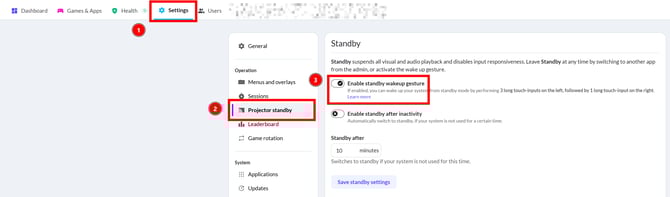
Standby Wakeup is a feature that allows user to leave Standby by entering a special touch-input sequence at the wall. This provides a useful alternative, especially if system has gone offline, in which case admin control is not possible. The feature can be enabled/disabled in the admin in Settings->Projector standby->Standby section. Don't forget to save your settings after changing them
How to leave Standby
To leave Standby with Standby Wakeup feature you need to perform 3 touch-inputs on the left, followed by 1 touch-input on the right. Touch-input is done by pressing a ball against the wall for 1 second and pulling it back afterwards (similar to how quick opening of pause menu works). If done correctly system should switch to menu and start projector if it was off and Projector Control is enabled. If this has not happened, wait 5 seconds and try again. The input timing is strict to avoid false-positive triggers.